Course: Boost Customer Loyalty and Repeat Sales with SHOPLINE’s Member System
This course is your complete guide to creating and managing a loyalty program using SHOPLINE’s native Member System to drive repeat purchases and build lasting customer relationships.
You will be able to:
- Understand the fundamentals of loyalty and membership models
- Build and customize your loyalty program with the Member System
- Launch your program effectively and engage your customers
- Optimize your program for long-term growth and retention
Get started and unlock the full potential of customer loyalty with SHOPLINE!
Boost Customer Loyalty and Repeat Sales with SHOPLINE’s Member System
Unit 1: Understanding Loyalty and Membership Models
What is a Loyalty Program & Why It Matters
In today’s highly competitive retail landscape, attracting new customers is no longer enough to sustain growth. Customer retention has become just as important, if not more, than acquisition. This is where loyalty programs play a critical role.
A loyalty program is a structured system that rewards customers for their engagement and repeat purchases, building stronger, long-term relationships. Merchants in the health and beauty industry benefit especially, as customers often make regular replenishment purchases for products like skincare, cosmetics, and body care.
The three most common types of loyalty programs are:
- Points-Based Programs: Customers earn points for spending (e.g., 1 point per $1 spent), which they can redeem for discounts, gifts, or exclusive services.
- Tiered Membership Programs: Customers unlock higher benefits as they reach new levels (e.g., Silver, Gold, Platinum), motivating them to spend more.
- Referral Programs: Members invite friends to join and are rewarded when their friends make a purchase, driving organic growth.
Loyalty programs drive measurable business outcomes by increasing repeat purchase rates, boosting average order value (AOV), and improving customer lifetime value (CLV).
For Example:
A skincare brand launched a points-based loyalty program where customers earned 1 point per $1 spent and could redeem points for free sheet masks. Within just three months, the brand saw a strong increase in repeat purchases and a significant rise in average cart size.
Which Merchants Benefit Most from Loyalty Programs
Not all businesses gain the same value from loyalty programs. They work best for merchants who:
- Operate in highly competitive industries where differentiation is crucial.
- Offer repeat-purchase products, such as cosmetics, skincare, supplements, and haircare.
- Have diverse product ranges, making cross-selling and upselling easier.
- Seek to build long-term customer relationships and increase CLV.
For health and beauty merchants, loyalty programs can be a game-changer because customers frequently repurchase products as part of their daily routines. This creates natural opportunities for upselling and cross-selling, making loyalty strategies especially effective.
Example:
A cosmetics boutique implemented a tiered membership program with Silver, Gold, and Platinum levels. Members in higher tiers enjoyed exclusive perks like free consultations and early access to new product launches. Within six months, many customers upgraded their tier, and the boutique achieved a significant increase in repeat orders.
The Business Benefits of Loyalty Programs
Loyalty programs don’t just increase sales, they transform customer relationships and create lasting brand advocates.
Key benefits include:
Improved Customer Retention
Returning customers typically spend 3–4 times more than first-time buyers.
Higher Conversion Rates
Loyalty members are more likely to purchase recommended products, especially when exclusive offers are available.
Brand Advocacy
Referral programs reduce acquisition costs by turning satisfied members into brand ambassadors.
Data-Driven Growth
According to SHOPLINE data, merchants using Member System achieve an average repurchase rate of 16%, compared to just 2% for those without a loyalty strategy.
For Example:
A body care brand added a referral program to its Member System setup, rewarding members with a free bath scrub for every successful referral. In just two months, the program generated remarkable new customer growth and boosted overall repeat purchase activity.
Unit 2: Designing & Setting Up Your Loyalty Program
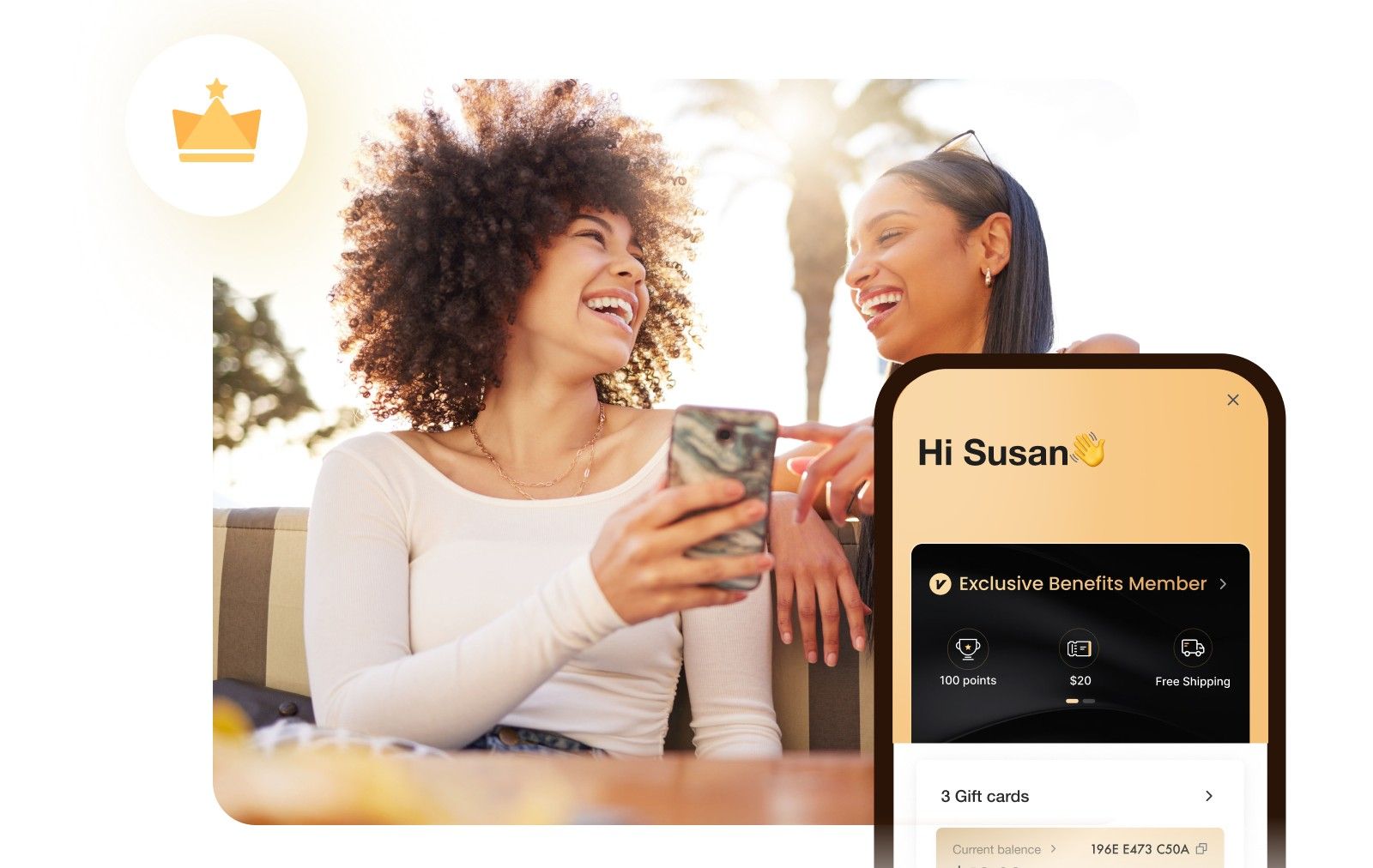
Member System Basics
SHOPLINE’s Member System is designed to make loyalty program management simple, flexible, and data-driven. It allows you to:
- Manage Customers & Segment Members: Organize customer data, track purchase behavior, and create targeted campaigns based on engagement levels.
- Measure Program Performance: Access analytics on membership growth, repeat purchase rates, and revenue contribution from loyalty members.
- Track Loyalty-Driven Revenue: Understand exactly how much of your sales come from active members versus non-members.
The dashboard provides real-time insights into member engagement and campaign ROI, empowering merchants to optimize strategies based on actual performance data.
Setting Up Membership Levels, Points & Campaigns
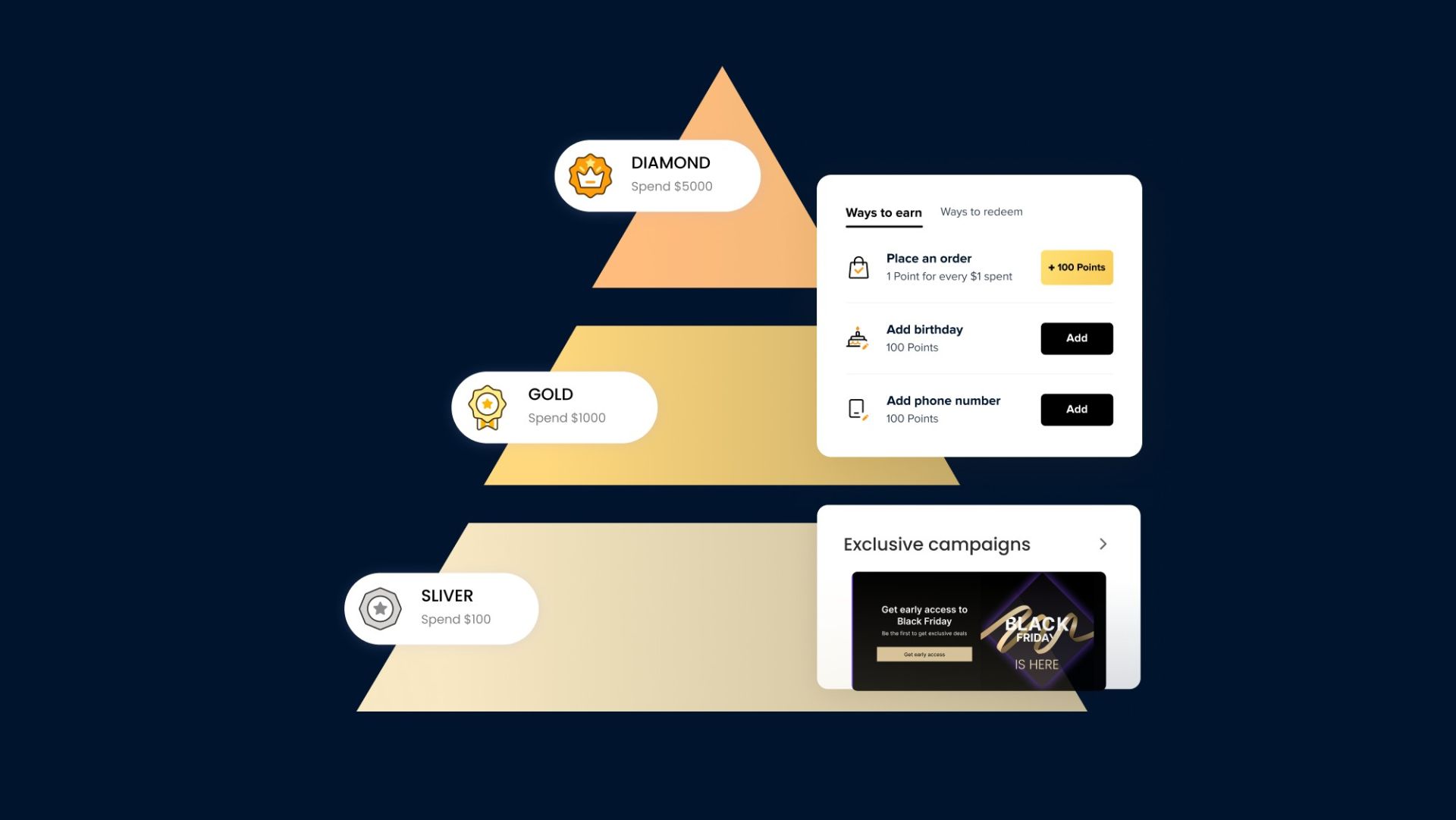
The Member System makes it easy to design and launch your loyalty program in just a few steps:
Step 1: Create Membership Tiers
Build levels like Silver, Gold, and Platinum, offering exclusive benefits to encourage upgrades.
- Go to SHOPLINE Admin > Member System > Membership.
- Click Custom membership levels to proceed.
Step 2: Configure Points Rewards
Set earning and redemption rules (e.g., 1 point per $1 spent, 500 points = $10 discount).
- Navigate to Member System > Points > Current status, and turn the status into Active
- If you wish to optimize the current point settings, you can utilize the Points Operation Assistant.
Step 3: Launch Bonus Point Campaigns
Run seasonal promotions to reward specific behaviors, such as spending thresholds or purchasing new arrivals.
- In your Member System app, go to Points > Bonus campaigns under Member Program
- Click Create, then customize the information such as points multiplier, rules and active time for your campaign
Step 4: Enable Member-Priced Products
Offer exclusive discounts to members to encourage sign-ups and repeat purchases.
- In the Member System app, go to Member price and click Add product.
- Select the products you want to configure member prices.
- Configure Pricing setting and Expiry date, and click Apply to save your settings.
- The configured products and their member prices will appear in the product list on the Member price homepage.
Best Practice
Keep tiers simple and meaningful. Overly complex structures can confuse customers and reduce program participation.
Integrating with Other Marketing Tools
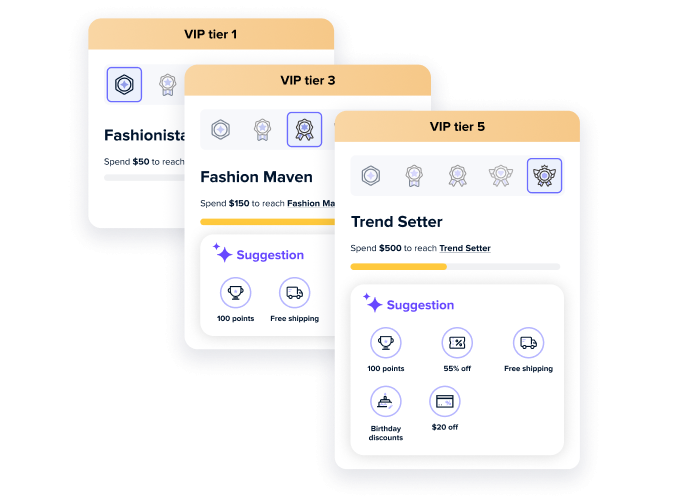
To maximize your loyalty program’s impact, the Member System integrates seamlessly with other SHOPLINE apps and external marketing tools:
- Product Review App
- Smartpush App
- Email Marketing Platforms: Mailchimp, Omnisend, or Klaviyo
1. Integrating with Product Review App
- In the Member System app, go to the Integrate section. Locate the Product Review module and click Operate Now.
- Under Earn points, find Product Reviews and click it to access the settings.
Use Case:
You can reward members with points for leaving reviews, boosting credibility and driving conversions.
| Note: This feature is only available for the Growth and Pro plans. To create point rules, upgrade your Member System plan if needed. |
2. Integrating with Smartpush
- In the Member System app, go to the Integrate section. Locate the Smartpush module and click Integrate Now.
- Once Complete, You can then send personalized push notifications about point balances, VIP perks, and expiring rewards.
3. Integrating with Mailchimp, Omnisend, or Klaviyo
- Go to Member System > Integrations and Choose the email marketing tool you want to connect: Mailchimp, Omnisend, or Klaviyo.
- Authorize the integration so member data (e.g., member tier, join date, points balance) can sync to your email platform.
- Connect with Mailchimp, Omnisend, or Klaviyo to run loyalty-driven email campaigns that nurture members and increase engagement.
By using cross-app automation, you can create personalized loyalty journeys that strengthen customer relationships and drive higher retention.
Unit 3: Launching & Growing Engagement with Your Loyalty Program
Presenting Your Program to Customers
After setting up your loyalty program, it’s essential to introduce it effectively to customers. The Member System provides three tools to make your program visible, clear, and attractive:
1. Engaging Member Pop-Up Panel
Showcase perks like points, tiers, and exclusive benefits directly on your store.
2. Introduction Page
Create a dedicated landing page to explain how your program works and why customers should join.
3. Smart Landing Pages
Use targeted landing pages to capture sign-ups and drive immediate conversions.
Use Case:
A beauty clinic designed a membership landing page highlighting free facials for Gold members and used pop-up banners to drive traffic. Within the first month, they achieved a notable membership sign-up rate.
Promoting Your Loyalty Benefits
To maximize engagement, you need to continuously remind customers of your program’s value. The Member System supports multiple promotional tactics:
Keep customers engaged
Use subtle nudges, email campaigns, and on-site info blocks to remind shoppers of the rewards they can earn.
- Go to Member System > Nudges > Nudges settings.
- You can enable or disable nudges in Member System at any time.
Create excitement
Announce seasonal promotions, bonus point events, and VIP-only perks to encourage both sign-ups and repeat purchases.
- Go to Points > Bonus campaigns under Member Program.
- Click Create.
- Customize the following information for your campaign: Name, Points multiplier, Rules in campaign and Active time
| Note: Bonus campaigns are only available in the Growth and Pro plans of the Member System app. |
Highlight exclusivity
Emphasize limited referral rewards or special member tiers to make customers feel valued and motivated to join.
- Go to Referrals > Status.
- Toggle the switch on to enable the feature.
To set up referrer rewards:
- Go to Referrals > Referrer rewards, then find the Reward settings card.
- Click + Add referrer reward and choose a reward type. Options include:
Example:
A beauty retailer placed an info block at checkout that read: “Spend $200 to reach Gold Tier and unlock free gifts.” The result? Large groups of shoppers increased their cart size to qualify, proving that small reminders at the right moment can significantly boost order value and loyalty program participation.
Engaging & Retaining Members
Once customers join your loyalty program, consistent engagement is key to retention and growth.
Best practices include:
- Personalized Push Notifications: Notify members about point balances, tier upgrades, or expiring rewards to keep them active.
- Celebrate Milestones: Acknowledge birthdays, anniversaries, or first purchase dates with special offers.
- Segment Members Strategically: Use data to create VIP-only campaigns for top spenders and reactivation offers for inactive members.
For Example:
A haircare brand used Smartpush to send personalized notifications reminding members about expiring points and limited-time redemption campaigns. This resulted in an uplift in repeat purchases within a single quarter.